VN Video Editor: Your Mobile Editing Powerhouse

- Package Name: com.frontrow.vlog
- Supported Operating System: Android
- Author: VN, LLC
Unlocking Creativity on Android
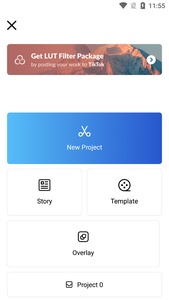
The VN Video Editor has emerged as a top-tier choice for mobile video editing, especially for Android users. It provides a robust suite of tools typically found in desktop software, all within an intuitive, user-friendly interface. This makes professional-grade video creation accessible to everyone, from beginners to seasoned content creators.
Key Features for Seamless Editing
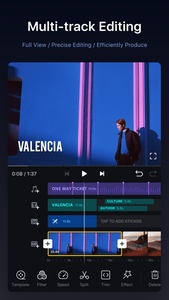
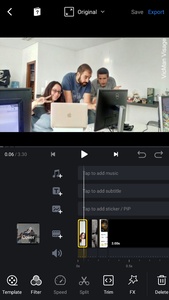
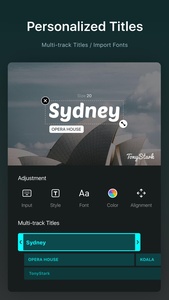
This App boasts a wealth of features designed to simplify and enhance the editing process. Users can precisely control video segments with its zoom in/out timeline feature. Essential actions like splitting, dragging, deleting, and duplicating clips are easily executed with a tap. The application also supports multi-track timelines, enabling users to add picture-in-picture videos, photos, and text overlays, complete with keyframe animations.

Audio and Visual Enhancement
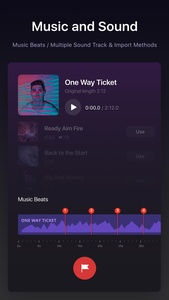
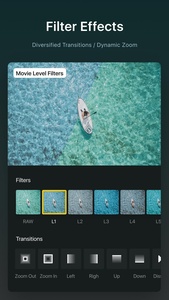
Sound is crucial to any video, and VN Video Editor provides extensive audio customization. Users can integrate their music, synchronize it with visuals using rhythm markers, and manage multiple soundtracks. On the visual front, a wide array of filters, effects, and transition options are available to elevate your content. The app even allows for advanced color grading, letting you fine-tune brightness, contrast, and saturation levels for a polished look.
Sharing Your Masterpiece
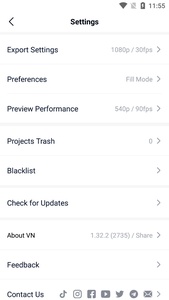
Once your video is complete, VN Video Editor makes sharing effortless. You can save your finished projects directly to your device’s camera roll. Additionally, the app offers instant sharing options to popular platforms like YouTube, X (formerly Twitter), and Facebook through a web link. The platform also has its own social feed where users can share creations and find inspiration. The best part? VN Video Editor allows you to export your finished videos without watermarks, a significant advantage over many other free editors.
